Yep, we may get a tiny thank-you (read: commission) when you buy through links on Gadgetspotr — not enough for a yacht, but enough to keep the lights (and servers) on. Learn more
Before you buy the 3DMakerPro Lynx 3d scanner, take a minute to explore its 147 specs & features — from core specs to standout features like general information, scanning performance, accuracy & resolution & scanning volume & range.
A fast snapshot of the 3DMakerPro Lynx, covering its standout specification and what you can expect right out of the box.
3DMakerPro Lynx
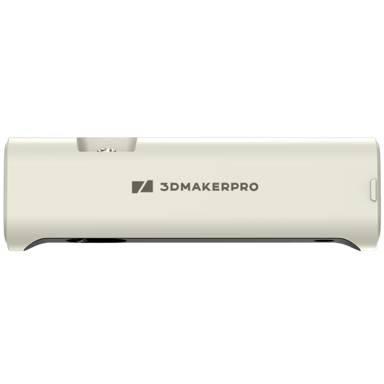
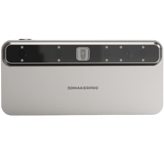
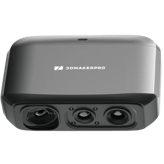
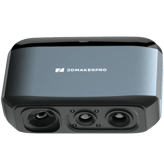
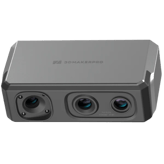
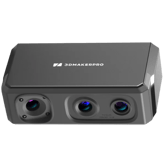
The 3DMakerPro Lynx is a versatile handheld 3D scanner designed to capture medium to large objects with impressive speed and accuracy. It utilizes advanced visual tracking technology that eliminates the need for messy markers, allowing you to simply point and scan for a smoother workflow. This user-friendly device is an excellent entry point for makers and designers looking to bring real-world shapes into their digital projects with minimal setup.
Specifications & Facts 147
Specs measured. Drama avoided.
It’s all here: the 3DMakerPro Lynx 3d scanner’s specs, strengths, weaknesses, and head-to-head with top 3d scanners. Then cast your vote.
General Information 8
3DMakerPro Lynx Product Type
What is the product type?
0 3DMakerPro Lynx 0 Votes Handheld
3D Scanner in this range Who knows? (Help us out by suggesting one!)
Defines the physical and functional form factor of the 3D scanner.
Don’t keep it to yourself — be the first to react and review the Product Type on 3DMakerPro Lynx ◉ and help others decide!
3DMakerPro Lynx Scanner Category
What scanner category does it belong to?
0 3DMakerPro Lynx 0 Votes Professional
3D Scanner in this range Who knows? (Help us out by suggesting one!)
Indicates the market segment and typical performance class of the scanner.
Don’t keep it to yourself — be the first to react and review the Scanner Category on 3DMakerPro Lynx ◉ and help others decide!
3DMakerPro Lynx Intended Use
What is the intended use?
0 3DMakerPro Lynx 0 Votes Reverse Engineering, 3D Printing, Design
3D Scanner in this range Who knows? (Help us out by suggesting one!)
Describes the primary applications the scanner is designed for.
Don’t keep it to yourself — be the first to react and review the Intended Use on 3DMakerPro Lynx ◉ and help others decide!
3DMakerPro Lynx Scanning Method
What scanning method is used?
0 3DMakerPro Lynx 0 Votes Structured Light
3D Scanner in this range Who knows? (Help us out by suggesting one!)
Identifies the core technology used to capture 3D data.
Don’t keep it to yourself — be the first to react and review the Scanning Method on 3DMakerPro Lynx ◉ and help others decide!
3DMakerPro Lynx Mounting Type
How is the scanner mounted?
0 3DMakerPro Lynx 0 Votes Handheld
3D Scanner in this range Who knows? (Help us out by suggesting one!)
Specifies how the scanner can be positioned or supported during use.
Don’t keep it to yourself — be the first to react and review the Mounting Type on 3DMakerPro Lynx ◉ and help others decide!
3DMakerPro Lynx Portability
Is the scanner portable?
Yes 0Votes 3DMakerPro Lynx
3D Scanner in this range Who knows? (Help us out by suggesting one!)
Indicates whether the scanner is designed to be easily carried and used in different locations.
Don’t keep it to yourself — be the first to react and review the Portability on 3DMakerPro Lynx ◉ and help others decide!
3DMakerPro Lynx Release Year
What year was the scanner released?
0 3DMakerPro Lynx 0 Votes 2023
3D Scanner in this range Who knows? (Help us out by suggesting one!)
Shows the year the scanner model was first introduced to the market.
Don’t keep it to yourself — be the first to react and review the Release Year on 3DMakerPro Lynx ◉ and help others decide!
3DMakerPro Lynx Country of Manufacture
Where is the scanner manufactured?
0 3DMakerPro Lynx 0 Votes China
3D Scanner in this range Who knows? (Help us out by suggesting one!)
Indicates where the scanner is primarily manufactured or assembled.
Don’t keep it to yourself — be the first to react and review the Country of Manufacture on 3DMakerPro Lynx ◉ and help others decide!
Scanning Performance 10
3DMakerPro Lynx Scan Speed
What is the scan speed?
10 fps 0Votes
3D Scanner in this range Who knows? (Help us out by suggesting one!)
3DMakerPro Lynx
Scan speed is 10 fps, which determines how many frames per second the device captures for moving or continuous scans.
Running at 10 frames per second balances data density with processing load for many handheld workflows.
Indicates how quickly the scanner captures spatial data during operation.
Don’t keep it to yourself — be the first to react and review the Scan Speed on 3DMakerPro Lynx ◉ and help others decide!
3DMakerPro Lynx Single Scan Time
How long does a single scan take?
6 sec 0Votes
3D Scanner in this range Who knows? (Help us out by suggesting one!)
3DMakerPro Lynx
Typical single scan time is 6 sec, indicating how long a single pass takes under standard settings.
A 6-second scan time is short enough for quick tabletop scanning sessions.
Measures the time required to complete a single scan pass.
Don’t keep it to yourself — be the first to react and review the Single Scan Time on 3DMakerPro Lynx ◉ and help others decide!
3DMakerPro Lynx Continuous Scan
Does it support continuous scanning?
Yes 0Votes 3DMakerPro Lynx
3D Scanner in this range Who knows? (Help us out by suggesting one!)
Indicates whether the scanner supports uninterrupted continuous scanning.
Don’t keep it to yourself — be the first to react and review the Continuous Scan on 3DMakerPro Lynx ◉ and help others decide!
3DMakerPro Lynx Frames Per Second
How many frames per second does it capture?
10 fps 0Votes
3D Scanner in this range Who knows? (Help us out by suggesting one!)
Represents the number of frames captured per second during scanning.
Don’t keep it to yourself — be the first to react and review the Frames Per Second on 3DMakerPro Lynx ◉ and help others decide!
3DMakerPro Lynx Real-Time Processing
Is real-time processing available?
Yes 0Votes 3DMakerPro Lynx
3D Scanner in this range Who knows? (Help us out by suggesting one!)
Shows whether scan data is processed live during capture.
Don’t keep it to yourself — be the first to react and review the Real-Time Processing on 3DMakerPro Lynx ◉ and help others decide!
3DMakerPro Lynx Scan Stability
How stable is the scanning process?
0 3DMakerPro Lynx 0 Votes High
3D Scanner in this range Who knows? (Help us out by suggesting one!)
Describes how stable and consistent scans remain during movement.
Don’t keep it to yourself — be the first to react and review the Scan Stability on 3DMakerPro Lynx ◉ and help others decide!
3DMakerPro Lynx Tracking Performance
How good is the tracking performance?
0 3DMakerPro Lynx 0 Votes Good
3D Scanner in this range Who knows? (Help us out by suggesting one!)
Indicates how well the scanner maintains tracking of the object.
Don’t keep it to yourself — be the first to react and review the Tracking Performance on 3DMakerPro Lynx ◉ and help others decide!
3DMakerPro Lynx Rescan Requirement
Does it often require rescanning?
Yes 0Votes 3DMakerPro Lynx
3D Scanner in this range Who knows? (Help us out by suggesting one!)
Shows whether rescanning is often needed to complete a model.
Don’t keep it to yourself — be the first to react and review the Rescan Requirement on 3DMakerPro Lynx ◉ and help others decide!
3DMakerPro Lynx Motion Compensation
Does it support motion compensation?
Yes 0Votes 3DMakerPro Lynx
3D Scanner in this range Who knows? (Help us out by suggesting one!)
Indicates support for compensating object or operator movement.
Don’t keep it to yourself — be the first to react and review the Motion Compensation on 3DMakerPro Lynx ◉ and help others decide!
3DMakerPro Lynx Multi-Scan Alignment
Does it support multi-scan alignment?
Yes 0Votes 3DMakerPro Lynx
3D Scanner in this range Who knows? (Help us out by suggesting one!)
Specifies whether multiple scans can be automatically aligned.
Don’t keep it to yourself — be the first to react and review the Multi-Scan Alignment on 3DMakerPro Lynx ◉ and help others decide!
Accuracy & Resolution 10
3DMakerPro Lynx Single Scan Accuracy
What is the single scan accuracy?
0 inch 0Votes
3D Scanner in this range Who knows? (Help us out by suggesting one!)
3DMakerPro Lynx
Single scan accuracy is 0.003937 in, which converts to 0.01 cm (0.1 mm).
An accuracy of 0.003937 inch (~0.1 mm) enables fine-detail captures suitable for small-part inspection.
Measures the dimensional deviation within a single scan capture.
Don’t keep it to yourself — be the first to react and review the Single Scan Accuracy on 3DMakerPro Lynx ◉ and help others decide!
3DMakerPro Lynx Point Distance
What is the point distance?
0.01 inch 0Votes
3D Scanner in this range Who knows? (Help us out by suggesting one!)
3DMakerPro Lynx
Point distance is 0.012 in, which converts to 0.03048 cm (0.3048 mm).
A 0.012-inch point spacing yields moderately fine detail for general-purpose scanning.
Defines the distance between captured data points on the surface.
Don’t keep it to yourself — be the first to react and review the Point Distance on 3DMakerPro Lynx ◉ and help others decide!
3DMakerPro Lynx Measurement Repeatability
How repeatable are measurements?
0.02 inch 0Votes
3D Scanner in this range Who knows? (Help us out by suggesting one!)
3DMakerPro Lynx
Measurement repeatability is 0.02 inch, which converts to 0.0508 cm.
A repeatability of 0.02 inch suggests consistent results for short-range, repeat scans of the same object.
Shows how consistent measurements are across repeated scans.
Don’t keep it to yourself — be the first to react and review the Measurement Repeatability on 3DMakerPro Lynx ◉ and help others decide!
3DMakerPro Lynx Calibration Accuracy
What is the calibration accuracy?
0.02 inch 0Votes
3D Scanner in this range Who knows? (Help us out by suggesting one!)
3DMakerPro Lynx
Calibration accuracy is 0.02 in, which converts to 0.0508 cm.
A calibration tolerance of 0.02 inch supports repeatable, moderate-precision measurements after proper setup.
Indicates accuracy achieved after proper calibration.
Don’t keep it to yourself — be the first to react and review the Calibration Accuracy on 3DMakerPro Lynx ◉ and help others decide!
3DMakerPro Lynx Resolution Level
What is the resolution level?
0.01 inch 0Votes
3D Scanner in this range Who knows? (Help us out by suggesting one!)
Represents the smallest detail size the scanner can resolve.
Don’t keep it to yourself — be the first to react and review the Resolution Level on 3DMakerPro Lynx ◉ and help others decide!
3DMakerPro Lynx Volumetric Accuracy
What is the volumetric accuracy?
0.02 inch 0Votes
3D Scanner in this range Who knows? (Help us out by suggesting one!)
Indicates accuracy across the entire scanned volume.
Don’t keep it to yourself — be the first to react and review the Volumetric Accuracy on 3DMakerPro Lynx ◉ and help others decide!
3DMakerPro Lynx Detail Capture Quality
How good is the detail capture quality?
0 3DMakerPro Lynx 0 Votes Medium
3D Scanner in this range Who knows? (Help us out by suggesting one!)
Describes how well small features and textures are preserved.
Don’t keep it to yourself — be the first to react and review the Detail Capture Quality on 3DMakerPro Lynx ◉ and help others decide!
3DMakerPro Lynx Edge Sharpness
How sharp are captured edges?
0 3DMakerPro Lynx 0 Votes Moderate
3D Scanner in this range Who knows? (Help us out by suggesting one!)
Indicates how clearly edges and boundaries are defined.
Don’t keep it to yourself — be the first to react and review the Edge Sharpness on 3DMakerPro Lynx ◉ and help others decide!
3DMakerPro Lynx Surface Noise Level
What is the surface noise level?
0 3DMakerPro Lynx 0 Votes Medium
3D Scanner in this range Who knows? (Help us out by suggesting one!)
Reflects the amount of unwanted surface artifacts in scans.
Don’t keep it to yourself — be the first to react and review the Surface Noise Level on 3DMakerPro Lynx ◉ and help others decide!
3DMakerPro Lynx Accuracy Degradation Range
How much does accuracy degrade at range?
0.08 inch 0Votes
3D Scanner in this range Who knows? (Help us out by suggesting one!)
Measures how accuracy declines at extreme distances or volumes.
Don’t keep it to yourself — be the first to react and review the Accuracy Degradation Range on 3DMakerPro Lynx ◉ and help others decide!
Scanning Volume & Range 7
3DMakerPro Lynx Minimum Scan Distance
What is the minimum scan distance?
15.75 inch 0Votes
3D Scanner in this range Who knows? (Help us out by suggesting one!)
3DMakerPro Lynx
Minimum scan distance is 15.748 in, equivalent to 40.01 cm.
A minimum working distance of 15.748 inches sets the closest comfortable range for accurate depth capture.
Represents the closest distance the scanner can be to the object.
Don’t keep it to yourself — be the first to react and review the Minimum Scan Distance on 3DMakerPro Lynx ◉ and help others decide!
3DMakerPro Lynx Minimum Object Size
What is the minimum object size?
3.94 inch 0Votes
3D Scanner in this range Who knows? (Help us out by suggesting one!)
3DMakerPro Lynx
Minimum object size is 3.94 in, which converts to approximately 10.0 cm.
Objects smaller than 3.94 inches may require macro-focused equipment or different scanning settings.
Indicates the smallest object dimension that can be reliably scanned.
Don’t keep it to yourself — be the first to react and review the Minimum Object Size on 3DMakerPro Lynx ◉ and help others decide!
3DMakerPro Lynx Maximum Object Size
What is the maximum object size?
393.7 inch 0Votes
3D Scanner in this range Who knows? (Help us out by suggesting one!)
3DMakerPro Lynx
Maximum object size is 393.7 in, which converts to 1000.0 cm (10.0 m).
With a 393.7-inch capacity you can scan very large objects by repositioning or using multiple scans stitched together.
Shows the largest object dimension supported by the scanner.
Don’t keep it to yourself — be the first to react and review the Maximum Object Size on 3DMakerPro Lynx ◉ and help others decide!
3DMakerPro Lynx Maximum Scan Distance
What is the maximum scan distance?
39.37 inch 0Votes
3D Scanner in this range Who knows? (Help us out by suggesting one!)
3DMakerPro Lynx
Maximum scan distance is 39.37 in, equivalent to 100.0 cm.
With a 39.37-inch reach you can capture medium-sized objects or scan at a comfortable working distance for larger subjects.
Indicates the farthest distance at which scanning remains effective.
Don’t keep it to yourself — be the first to react and review the Maximum Scan Distance on 3DMakerPro Lynx ◉ and help others decide!
3DMakerPro Lynx Depth of Field
What is the depth of field?
31.5 inch 0Votes
3D Scanner in this range Who knows? (Help us out by suggesting one!)
3DMakerPro Lynx
Depth of field is 31.5 in, which converts to 80.01 cm.
A 31.5-inch depth of field lets you capture objects with reasonable thickness without refocusing.
Describes the usable distance range where objects remain in focus.
Don’t keep it to yourself — be the first to react and review the Depth of Field on 3DMakerPro Lynx ◉ and help others decide!
3DMakerPro Lynx Field of View Width
What is the field of view width?
9.84 inch 0Votes
3D Scanner in this range Who knows? (Help us out by suggesting one!)
3DMakerPro Lynx
Field of view width is 9.84 in, equivalent to 24.9936 cm.
A 9.84-inch width covers many small-to-medium objects in a single frame.
Measures the horizontal capture width in a single scan frame.
Don’t keep it to yourself — be the first to react and review the Field of View Width on 3DMakerPro Lynx ◉ and help others decide!
3DMakerPro Lynx Field of View Height
What is the field of view height?
7.87 inch 0Votes
3D Scanner in this range Who knows? (Help us out by suggesting one!)
3DMakerPro Lynx
Field of view height is 7.87 in, which converts to 20.0 cm.
With a 7.87-inch height you get a near-20 cm capture area useful for handheld sweeps.
Measures the vertical capture height in a single scan frame.
Don’t keep it to yourself — be the first to react and review the Field of View Height on 3DMakerPro Lynx ◉ and help others decide!
Optics & Sensors 8
3DMakerPro Lynx Number of Cameras
How many cameras are included?
0 3DMakerPro Lynx 0 Votes 2
3D Scanner in this range Who knows? (Help us out by suggesting one!)
3DMakerPro Lynx
The scanner has 2 cameras, a configuration that enables stereo or multi-view capture for improved depth estimation.
Having 2 optical channels helps with alignment and robustness on complex surfaces.
Indicates how many cameras are used for scanning.
Don’t keep it to yourself — be the first to react and review the Number of Cameras on 3DMakerPro Lynx ◉ and help others decide!
3DMakerPro Lynx Infrared
Does it support infrared?
Yes 0Votes 3DMakerPro Lynx
3D Scanner in this range Who knows? (Help us out by suggesting one!)
3DMakerPro Lynx
The device uses infrared for depth-sensing/illumination, which helps capture geometry in a way that is less sensitive to visible-light color variations.
Indicates whether infrared scanning is supported.
Don’t keep it to yourself — be the first to react and review the Infrared on 3DMakerPro Lynx ◉ and help others decide!
3DMakerPro Lynx Sensor Type
What type of sensor does it use?
0 3DMakerPro Lynx 0 Votes CMOS
3D Scanner in this range Who knows? (Help us out by suggesting one!)
Identifies the primary sensor technology used for depth capture.
Don’t keep it to yourself — be the first to react and review the Sensor Type on 3DMakerPro Lynx ◉ and help others decide!
3DMakerPro Lynx Camera Resolution
What is the camera resolution?
2 mp 0Votes
3D Scanner in this range Who knows? (Help us out by suggesting one!)
Specifies the resolution of the capture cameras.
Don’t keep it to yourself — be the first to react and review the Camera Resolution on 3DMakerPro Lynx ◉ and help others decide!
3DMakerPro Lynx Light Source Type
What light source is used?
0 3DMakerPro Lynx 0 Votes Infrared
3D Scanner in this range Who knows? (Help us out by suggesting one!)
Describes the type of light used to project patterns or beams.
Don’t keep it to yourself — be the first to react and review the Light Source Type on 3DMakerPro Lynx ◉ and help others decide!
3DMakerPro Lynx Light Source Wavelength
What is the light wavelength?
850 nm 0Votes
3D Scanner in this range Who knows? (Help us out by suggesting one!)
Indicates the wavelength of the emitted light.
Don’t keep it to yourself — be the first to react and review the Light Source Wavelength on 3DMakerPro Lynx ◉ and help others decide!
3DMakerPro Lynx Color Camera Presence
Is there a color camera?
Yes 0Votes 3DMakerPro Lynx
3D Scanner in this range Who knows? (Help us out by suggesting one!)
Shows whether a dedicated color camera is included.
Don’t keep it to yourself — be the first to react and review the Color Camera Presence on 3DMakerPro Lynx ◉ and help others decide!
3DMakerPro Lynx Optical Filter Type
What optical filter is used?
0 3DMakerPro Lynx 0 Votes IR Cut
3D Scanner in this range Who knows? (Help us out by suggesting one!)
Describes the type of optical filtering used to improve the quality of captured scans.
Don’t keep it to yourself — be the first to react and review the Optical Filter Type on 3DMakerPro Lynx ◉ and help others decide!
Capture Modes & Technology 9
3DMakerPro Lynx Scanning Mode
What scanning modes are supported?
0 3DMakerPro Lynx 0 Votes Handheld
3D Scanner in this range Who knows? (Help us out by suggesting one!)
Indicates the supported operational scanning modes.
Don’t keep it to yourself — be the first to react and review the Scanning Mode on 3DMakerPro Lynx ◉ and help others decide!
3DMakerPro Lynx Handheld Scanning
Does it support handheld scanning?
Yes 0Votes 3DMakerPro Lynx
3D Scanner in this range Who knows? (Help us out by suggesting one!)
Shows whether the scanner can be used freely by hand.
Don’t keep it to yourself — be the first to react and review the Handheld Scanning on 3DMakerPro Lynx ◉ and help others decide!
3DMakerPro Lynx Fixed Scanning
Can it be used in a fixed setup?
No 0Votes 3DMakerPro Lynx
3D Scanner in this range Who knows? (Help us out by suggesting one!)
Indicates support for stationary or mounted scanning setups.
Don’t keep it to yourself — be the first to react and review the Fixed Scanning on 3DMakerPro Lynx ◉ and help others decide!
3DMakerPro Lynx Turntable Scanning
Does it support turntable scanning?
Yes 0Votes 3DMakerPro Lynx
3D Scanner in this range Who knows? (Help us out by suggesting one!)
Specifies compatibility with turntable-based scanning workflows.
Don’t keep it to yourself — be the first to react and review the Turntable Scanning on 3DMakerPro Lynx ◉ and help others decide!
3DMakerPro Lynx Marker-Based Scanning
Does it support marker-based scanning?
Yes 0Votes 3DMakerPro Lynx
3D Scanner in this range Who knows? (Help us out by suggesting one!)
Indicates whether physical markers can be used for tracking.
Don’t keep it to yourself — be the first to react and review the Marker-Based Scanning on 3DMakerPro Lynx ◉ and help others decide!
3DMakerPro Lynx Markerless Scanning
Does it support markerless scanning?
Yes 0Votes 3DMakerPro Lynx
3D Scanner in this range Who knows? (Help us out by suggesting one!)
Shows whether the scanner can track objects without markers.
Don’t keep it to yourself — be the first to react and review the Markerless Scanning on 3DMakerPro Lynx ◉ and help others decide!
3DMakerPro Lynx Texture Capture
Can it capture textures?
Yes 0Votes 3DMakerPro Lynx
3D Scanner in this range Who knows? (Help us out by suggesting one!)
Indicates whether surface textures can be captured.
Don’t keep it to yourself — be the first to react and review the Texture Capture on 3DMakerPro Lynx ◉ and help others decide!
3DMakerPro Lynx Color Capture
Does it support color capture?
Yes 0Votes 3DMakerPro Lynx
3D Scanner in this range Who knows? (Help us out by suggesting one!)
Shows whether full-color data can be captured during scanning.
Don’t keep it to yourself — be the first to react and review the Color Capture on 3DMakerPro Lynx ◉ and help others decide!
3DMakerPro Lynx HDR
Is HDR supported?
No 0Votes 3DMakerPro Lynx
3D Scanner in this range Who knows? (Help us out by suggesting one!)
Indicates support for high dynamic range capture.
Don’t keep it to yourself — be the first to react and review the HDR on 3DMakerPro Lynx ◉ and help others decide!
Object Compatibility 8
3DMakerPro Lynx Supported Object Materials
What materials can be scanned?
0 3DMakerPro Lynx 0 Votes Plastic, Metal, Wood, Clay, Stone
3D Scanner in this range Who knows? (Help us out by suggesting one!)
3DMakerPro Lynx
Supported materials include Plastic, Metal, Wood, Clay, and Stone, covering a broad range of common scanning targets.
These materials indicate suitability for prototyping, heritage capture, and general-purpose scanning workflows.
Lists common materials the scanner can capture effectively.
Don’t keep it to yourself — be the first to react and review the Supported Object Materials on 3DMakerPro Lynx ◉ and help others decide!
3DMakerPro Lynx Dark Object
Can it scan dark objects?
Yes 0Votes 3DMakerPro Lynx
3D Scanner in this range Who knows? (Help us out by suggesting one!)
3DMakerPro Lynx
The scanner supports scanning dark objects, which means it can handle low-reflectivity surfaces without requiring heavy surface preparation or powdering.
Indicates whether dark or black surfaces can be scanned without coating.
Don’t keep it to yourself — be the first to react and review the Dark Object on 3DMakerPro Lynx ◉ and help others decide!
3DMakerPro Lynx Shiny Object
Can it scan shiny objects?
No 0Votes 3DMakerPro Lynx
3D Scanner in this range Who knows? (Help us out by suggesting one!)
Shows whether reflective or glossy surfaces are supported.
Don’t keep it to yourself — be the first to react and review the Shiny Object on 3DMakerPro Lynx ◉ and help others decide!
3DMakerPro Lynx Transparent Object
Can it scan transparent objects?
No 0Votes 3DMakerPro Lynx
3D Scanner in this range Who knows? (Help us out by suggesting one!)
Indicates support for clear or transparent materials.
Don’t keep it to yourself — be the first to react and review the Transparent Object on 3DMakerPro Lynx ◉ and help others decide!
3DMakerPro Lynx Human Body Scanning
Can it scan the human body?
Yes 0Votes 3DMakerPro Lynx
3D Scanner in this range Who knows? (Help us out by suggesting one!)
Shows whether full or partial human body scanning is supported.
Don’t keep it to yourself — be the first to react and review the Human Body Scanning on 3DMakerPro Lynx ◉ and help others decide!
3DMakerPro Lynx Face Scanning
Can it scan faces?
Yes 0Votes 3DMakerPro Lynx
3D Scanner in this range Who knows? (Help us out by suggesting one!)
Indicates suitability for facial scanning applications.
Don’t keep it to yourself — be the first to react and review the Face Scanning on 3DMakerPro Lynx ◉ and help others decide!
3DMakerPro Lynx Industrial Part Scanning
Can it scan industrial parts?
Yes 0Votes 3DMakerPro Lynx
3D Scanner in this range Who knows? (Help us out by suggesting one!)
Shows whether rigid mechanical or industrial parts can be scanned accurately.
Don’t keep it to yourself — be the first to react and review the Industrial Part Scanning on 3DMakerPro Lynx ◉ and help others decide!
3DMakerPro Lynx Organic Shape Scanning
Can it scan organic shapes?
Yes 0Votes 3DMakerPro Lynx
3D Scanner in this range Who knows? (Help us out by suggesting one!)
Indicates effectiveness when scanning freeform or organic shapes.
Don’t keep it to yourself — be the first to react and review the Organic Shape Scanning on 3DMakerPro Lynx ◉ and help others decide!
Software & Processing 10
3DMakerPro Lynx Included Software
What software is included?
0 3DMakerPro Lynx 0 Votes JMStudio
3D Scanner in this range Who knows? (Help us out by suggesting one!)
Identifies the primary software provided with the scanner.
Don’t keep it to yourself — be the first to react and review the Included Software on 3DMakerPro Lynx ◉ and help others decide!
3DMakerPro Lynx Real-Time Preview
Is real-time preview available?
Yes 0Votes 3DMakerPro Lynx
3D Scanner in this range Who knows? (Help us out by suggesting one!)
Indicates whether scan results can be viewed live during capture.
Don’t keep it to yourself — be the first to react and review the Real-Time Preview on 3DMakerPro Lynx ◉ and help others decide!
3DMakerPro Lynx Mesh Editing Tools
Are mesh editing tools included?
Yes 0Votes 3DMakerPro Lynx
3D Scanner in this range Who knows? (Help us out by suggesting one!)
Shows whether built-in tools are available for editing meshes.
Don’t keep it to yourself — be the first to react and review the Mesh Editing Tools on 3DMakerPro Lynx ◉ and help others decide!
3DMakerPro Lynx Hole Filling
Does it support hole filling?
Yes 0Votes 3DMakerPro Lynx
3D Scanner in this range Who knows? (Help us out by suggesting one!)
Indicates support for automatically filling gaps in meshes.
Don’t keep it to yourself — be the first to react and review the Hole Filling on 3DMakerPro Lynx ◉ and help others decide!
3DMakerPro Lynx Smoothing Tools
Are smoothing tools included?
Yes 0Votes 3DMakerPro Lynx
3D Scanner in this range Who knows? (Help us out by suggesting one!)
Shows whether surface smoothing tools are available.
Don’t keep it to yourself — be the first to react and review the Smoothing Tools on 3DMakerPro Lynx ◉ and help others decide!
3DMakerPro Lynx Alignment Tools
Are alignment tools included?
Yes 0Votes 3DMakerPro Lynx
3D Scanner in this range Who knows? (Help us out by suggesting one!)
Indicates availability of tools for aligning multiple scans.
Don’t keep it to yourself — be the first to react and review the Alignment Tools on 3DMakerPro Lynx ◉ and help others decide!
3DMakerPro Lynx Measurement Tools
Are measurement tools available?
Yes 0Votes 3DMakerPro Lynx
3D Scanner in this range Who knows? (Help us out by suggesting one!)
Shows whether dimensional measurement tools are provided.
Don’t keep it to yourself — be the first to react and review the Measurement Tools on 3DMakerPro Lynx ◉ and help others decide!
3DMakerPro Lynx Texture Mapping
Does it support texture mapping?
Yes 0Votes 3DMakerPro Lynx
3D Scanner in this range Who knows? (Help us out by suggesting one!)
Indicates support for applying textures to 3D meshes.
Don’t keep it to yourself — be the first to react and review the Texture Mapping on 3DMakerPro Lynx ◉ and help others decide!
3DMakerPro Lynx Automation Features
Are automation features included?
Yes 0Votes 3DMakerPro Lynx
3D Scanner in this range Who knows? (Help us out by suggesting one!)
Shows whether automated processing features are available.
Don’t keep it to yourself — be the first to react and review the Automation Features on 3DMakerPro Lynx ◉ and help others decide!
3DMakerPro Lynx AI Enhancement Features
Are AI enhancements available?
Yes 0Votes 3DMakerPro Lynx
3D Scanner in this range Who knows? (Help us out by suggesting one!)
Indicates use of AI to improve scan quality or processing.
Don’t keep it to yourself — be the first to react and review the AI Enhancement Features on 3DMakerPro Lynx ◉ and help others decide!
Output & File Formats 8
3DMakerPro Lynx Mesh Output Formats
What mesh formats are supported?
0 3DMakerPro Lynx 0 Votes STL, OBJ, PLY
3D Scanner in this range Who knows? (Help us out by suggesting one!)
3DMakerPro Lynx
The scanner exports mesh formats STL, OBJ, and PLY, covering common workflows for 3D printing and modeling.
Having STL, OBJ, and PLY support ensures compatibility with most CAD and mesh-processing tools.
Lists supported polygon mesh file formats for export.
Don’t keep it to yourself — be the first to react and review the Mesh Output Formats on 3DMakerPro Lynx ◉ and help others decide!
3DMakerPro Lynx Point Cloud Formats
What point cloud formats are available?
0 3DMakerPro Lynx 0 Votes PLY, XYZ
3D Scanner in this range Who knows? (Help us out by suggesting one!)
Identifies supported point cloud export formats.
Don’t keep it to yourself — be the first to react and review the Point Cloud Formats on 3DMakerPro Lynx ◉ and help others decide!
3DMakerPro Lynx CAD Export
Does it support CAD export?
No 0Votes 3DMakerPro Lynx
3D Scanner in this range Who knows? (Help us out by suggesting one!)
Indicates whether data can be exported for CAD workflows.
Don’t keep it to yourself — be the first to react and review the CAD Export on 3DMakerPro Lynx ◉ and help others decide!
3DMakerPro Lynx Texture File Formats
What texture formats are supported?
0 3DMakerPro Lynx 0 Votes JPG, PNG
3D Scanner in this range Who knows? (Help us out by suggesting one!)
Lists supported formats for texture image files.
Don’t keep it to yourself — be the first to react and review the Texture File Formats on 3DMakerPro Lynx ◉ and help others decide!
3DMakerPro Lynx Color Data Export
Is color data included in exports?
Yes 0Votes 3DMakerPro Lynx
3D Scanner in this range Who knows? (Help us out by suggesting one!)
Shows whether color information can be exported with models.
Don’t keep it to yourself — be the first to react and review the Color Data Export on 3DMakerPro Lynx ◉ and help others decide!
3DMakerPro Lynx Export Resolution Control
Can export resolution be controlled?
Yes 0Votes 3DMakerPro Lynx
3D Scanner in this range Who knows? (Help us out by suggesting one!)
Indicates whether users can adjust resolution at export.
Don’t keep it to yourself — be the first to react and review the Export Resolution Control on 3DMakerPro Lynx ◉ and help others decide!
3DMakerPro Lynx File Size Optimization
Is file size optimization available?
Yes 0Votes 3DMakerPro Lynx
3D Scanner in this range Who knows? (Help us out by suggesting one!)
Shows whether tools exist to reduce file size without major quality loss.
Don’t keep it to yourself — be the first to react and review the File Size Optimization on 3DMakerPro Lynx ◉ and help others decide!
3DMakerPro Lynx API Export
Is API export supported?
No 0Votes 3DMakerPro Lynx
3D Scanner in this range Who knows? (Help us out by suggesting one!)
Indicates availability of APIs for automated data export.
Don’t keep it to yourself — be the first to react and review the API Export on 3DMakerPro Lynx ◉ and help others decide!
Connectivity & Interfaces 7
3DMakerPro Lynx Cable Length
What is the cable length?
6.56 ft 0Votes
3D Scanner in this range Who knows? (Help us out by suggesting one!)
3DMakerPro Lynx
Cable length is 6.56 ft, which converts to 2.0 m.
A 6.56-foot cable provides modest reach for desktop or small-studio setups without requiring extension cords.
Specifies the length of the included connection cable.
Don’t keep it to yourself — be the first to react and review the Cable Length on 3DMakerPro Lynx ◉ and help others decide!
3DMakerPro Lynx USB Connectivity
Does it support USB connectivity?
Yes 0Votes 3DMakerPro Lynx
3D Scanner in this range Who knows? (Help us out by suggesting one!)
Indicates whether the scanner supports USB connections to other devices.
Don’t keep it to yourself — be the first to react and review the USB Connectivity on 3DMakerPro Lynx ◉ and help others decide!
3DMakerPro Lynx Wireless Connectivity
Does it support wireless connectivity?
No 0Votes 3DMakerPro Lynx
3D Scanner in this range Who knows? (Help us out by suggesting one!)
Shows whether the scanner can connect wirelessly.
Don’t keep it to yourself — be the first to react and review the Wireless Connectivity on 3DMakerPro Lynx ◉ and help others decide!
3DMakerPro Lynx Bluetooth
Is Bluetooth supported?
No 0Votes 3DMakerPro Lynx
3D Scanner in this range Who knows? (Help us out by suggesting one!)
Indicates support for Bluetooth-based connections or accessories.
Don’t keep it to yourself — be the first to react and review the Bluetooth on 3DMakerPro Lynx ◉ and help others decide!
3DMakerPro Lynx Wi-Fi
Does it support Wi-Fi?
No 0Votes 3DMakerPro Lynx
3D Scanner in this range Who knows? (Help us out by suggesting one!)
Shows whether Wi-Fi is available for data transfer or control.
Don’t keep it to yourself — be the first to react and review the Wi-Fi on 3DMakerPro Lynx ◉ and help others decide!
3DMakerPro Lynx Data Transfer Speed
What is the data transfer speed?
0 3DMakerPro Lynx 0 Votes USB 3.0
3D Scanner in this range Who knows? (Help us out by suggesting one!)
Describes the typical speed at which scan data is transferred.
Don’t keep it to yourself — be the first to react and review the Data Transfer Speed on 3DMakerPro Lynx ◉ and help others decide!
3DMakerPro Lynx External Storage
Is external storage supported?
No 0Votes 3DMakerPro Lynx
3D Scanner in this range Who knows? (Help us out by suggesting one!)
Indicates whether external storage devices can be used.
Don’t keep it to yourself — be the first to react and review the External Storage on 3DMakerPro Lynx ◉ and help others decide!
Hardware & Design 8
3DMakerPro Lynx Mounting Thread Type
What mounting thread does it use?
0 3DMakerPro Lynx 0 Votes 1/4-inch
3D Scanner in this range Who knows? (Help us out by suggesting one!)
3DMakerPro Lynx
The mounting thread is 1/4-inch, a common camera/tripod standard; this corresponds to 0.635 cm, so it mounts to standard photographic and tripod hardware.
Using a 1/4-inch mount makes the scanner compatible with most consumer tripods and many third-party mounts.
Specifies the standard thread used for mounting accessories.
Don’t keep it to yourself — be the first to react and review the Mounting Thread Type on 3DMakerPro Lynx ◉ and help others decide!
3DMakerPro Lynx Body Material
What is the body material?
0 3DMakerPro Lynx 0 Votes Plastic
3D Scanner in this range Who knows? (Help us out by suggesting one!)
Describes the primary material used for the scanner’s exterior body.
Don’t keep it to yourself — be the first to react and review the Body Material on 3DMakerPro Lynx ◉ and help others decide!
3DMakerPro Lynx Build Quality
How is the build quality?
0 3DMakerPro Lynx 0 Votes Standard
3D Scanner in this range Who knows? (Help us out by suggesting one!)
Indicates overall construction quality and finish.
Don’t keep it to yourself — be the first to react and review the Build Quality on 3DMakerPro Lynx ◉ and help others decide!
3DMakerPro Lynx Ergonomic Design
Is the scanner ergonomically designed?
Yes 0Votes 3DMakerPro Lynx
3D Scanner in this range Who knows? (Help us out by suggesting one!)
Shows whether the scanner is designed for comfortable handling.
Don’t keep it to yourself — be the first to react and review the Ergonomic Design on 3DMakerPro Lynx ◉ and help others decide!
3DMakerPro Lynx Button Controls
Does it have physical button controls?
Yes 0Votes 3DMakerPro Lynx
3D Scanner in this range Who knows? (Help us out by suggesting one!)
Indicates whether physical buttons are available for control.
Don’t keep it to yourself — be the first to react and review the Button Controls on 3DMakerPro Lynx ◉ and help others decide!
3DMakerPro Lynx Indicator Lights
Are indicator lights included?
Yes 0Votes 3DMakerPro Lynx
3D Scanner in this range Who knows? (Help us out by suggesting one!)
Shows whether LED indicators provide status feedback.
Don’t keep it to yourself — be the first to react and review the Indicator Lights on 3DMakerPro Lynx ◉ and help others decide!
3DMakerPro Lynx Cooling Method
What cooling method is used?
0 3DMakerPro Lynx 0 Votes Passive
3D Scanner in this range Who knows? (Help us out by suggesting one!)
Describes how heat is managed during operation.
Don’t keep it to yourself — be the first to react and review the Cooling Method on 3DMakerPro Lynx ◉ and help others decide!
 Supermod
  Moderator